Enabling Scanning for SQL Servers
The steps required to enable SQL Server discovery using ChangeGear/ADE Discovery.
Before You Begin
To enable SQL Server scanning, you must install the following (free) Microsoft packages on your ChangeGear/ADE server.
-
Microsoft® SQL Server® 2016 Feature Pack
Install the following components from the feature pack ONLY:
-
Microsoft SQL Server System CLR Types
-
Microsoft SQL Server Shared Management Objects
-
-
Microsoft® SQL Server® 2012 Native Client
Works for all SQL Server versions 2012 and later.
-
Microsoft System Center Management Pack for SQL Server (SQL 2012 - 2019)
-
SQL Server 2014 Express with Advanced Services
Install the Management Tools - Basic component from this package.
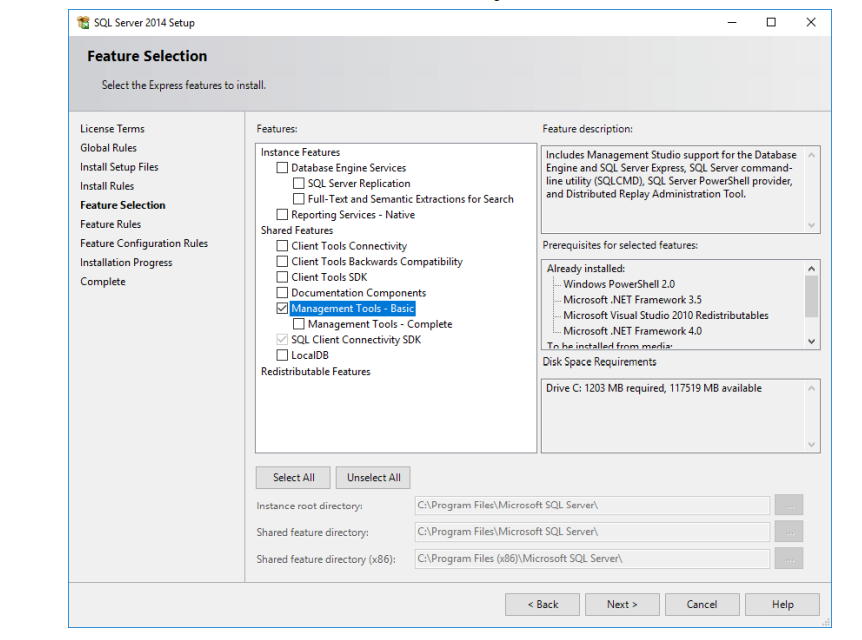
To Enable Scanning:
-
Install Required Packages - Download and install all the components listed above on both your ChangeGear and ADE servers.
During installation, ensure that only the required components are selected.
-
Restart Servers - after the installation, restart your ChangeGear/ADE server to ensure the changes take effect.
-
Perform a scan of your database server through ADE Discovery.
-
After the scan completes, the databases should appear as dependencies listed under the respective server.
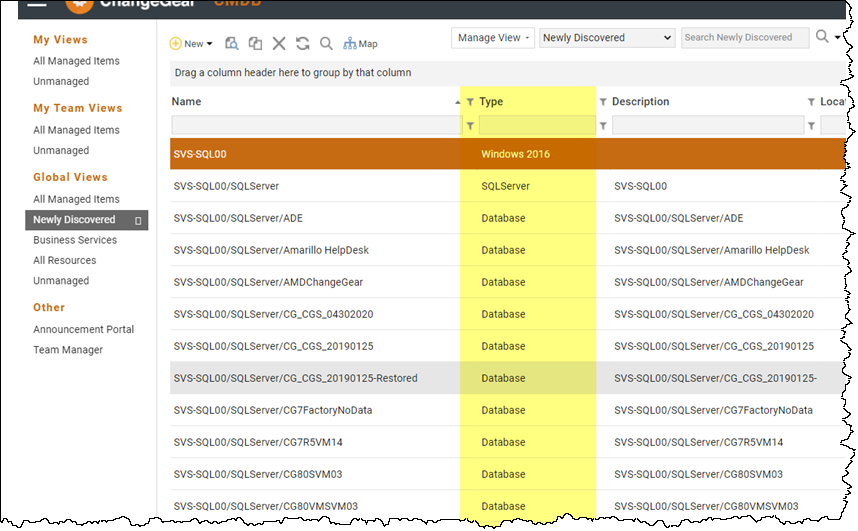
Example 1: SQL Server CI
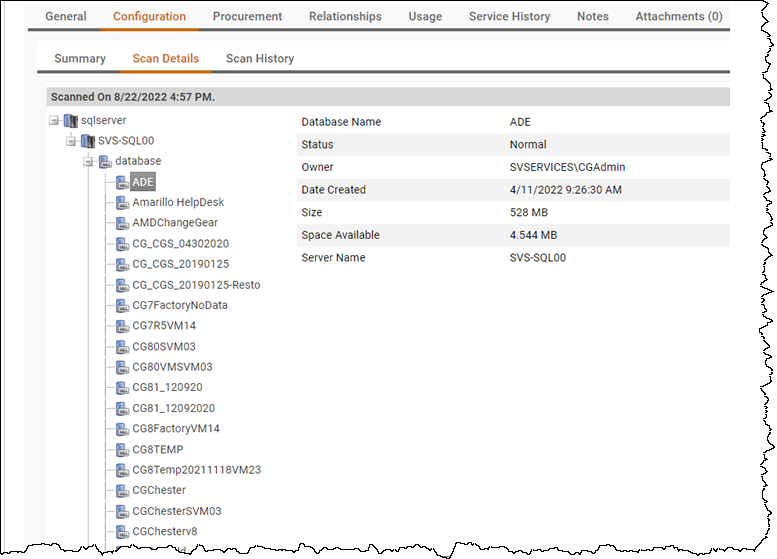
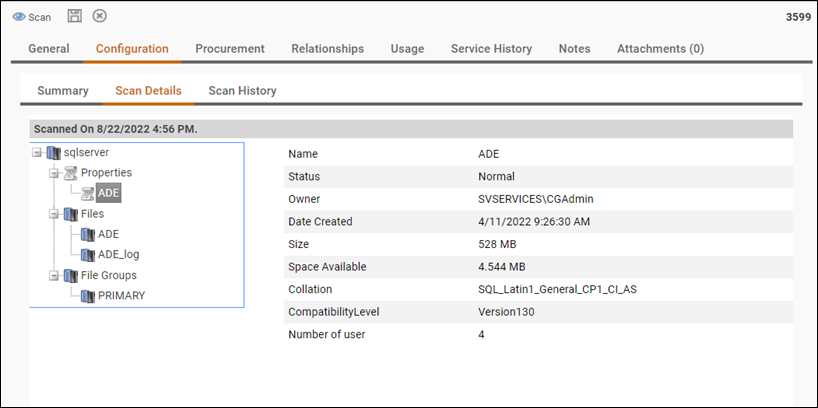
Example 2: Individual Database CI Record
Important: These steps are necessary to ensure SQL Server scanning functionality is operational and accurate. If scanning does not yield the expected results, verify that all required components are installed and the servers have been restarted. For more information or troubleshooting tips, refer to the Knowledge Base or contact support.