Resetting or Changing Your Password in the SSP
You can reset your ChangeGear password only when you are a ChangeGear Authenticated user. Generally, ChangeGear Authenticated users are those that have a user name and password specific for logging in to ChangeGear. Please contact your IT department or ChangeGear Administrator if you have questions about your account.
NOTE: If you are not a ChangeGear Authenticated user and try to reset your password using the link on the ChangeGear Login screen, you will receive an error and your password will not be reset.
To reset your password:
-
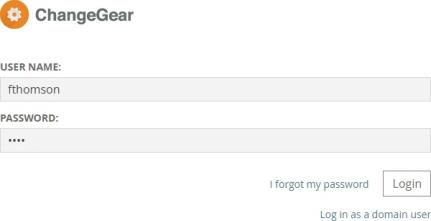
In a Web browser, open the login page.
-
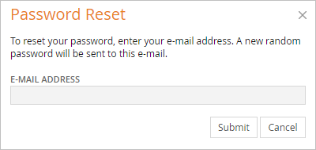
Click on the link I forgot my password. The Password Reset dialog displays.
-
Enter the e-mail address that is connected to your account. This account is the e-mail account that receives messages from ChangeGear.
-
Click Submit.
-
An email is sent to your e-mail address with your new password.
Password Requirements (Effective H1 2025)
When creating or resetting your password, make sure it meets the following requirements:
-
Must be 8 to 64 characters in length
-
Cannot contain 4 or more repeated or sequential characters (e.g., 1234, aaaa)
-
No emojis or unsupported characters
-
Must be different from your current or previous password
NOTE: If your password doesn't meet these rules, an error message will appear asking you to try again.