Automated Discovery
In addition to the initial network scan, you can discover new or changed resources continuously via manual or automated discovery. Automating discovery tasks allows you to scan your resources during non-peak hours, such as Saturday nights.
When ADE scans the network again and imports the results to Asset Discovery Expert CMDB, newly discovered resources are classified as "Unclassified." CIs already entered in the CMDB have their scanned date modified to reflect the last time the CI was scanned. If you have deleted a resource and have not removed it from your network, the deleted CI will be rediscovered and marked as "Unclassified." See Viewing Newly Discovered CIs for more information.
Tip: To exclude CIs that you do not want to track, you can mark them as "Unmanaged" in the CMDB. If you do not want to discover certain resource types, you can clear the selection in the Resource Type Chooser under the Advanced Discovery Settings.
To automate discovery from the CMDB:
-
Open the ADE by selecting Discovery CIs from either the Tasks menu or from the Tools drop-down.
-
Navigate to the Discovery Profile Settings page.
-
Select a profile.
-
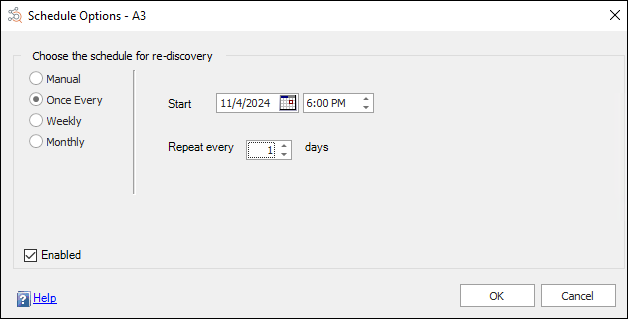
Select Schedule. The Schedule Options dialog will display.
-
Set the schedule of the distribution. Selections are similar to Windows Scheduled Tasks.
Note: Ensure that the distribution is enabled.
-
Click OK to save the scheduling information for the profile.