Editing Data Model Attributes
Attributes such as Display Name and Entity Type define high-level metadata for a data model. These attributes ensure the model is properly labeled and categorized for integration with the CMDB.
To edit data model attributes:
-
Open the desired data model.
-
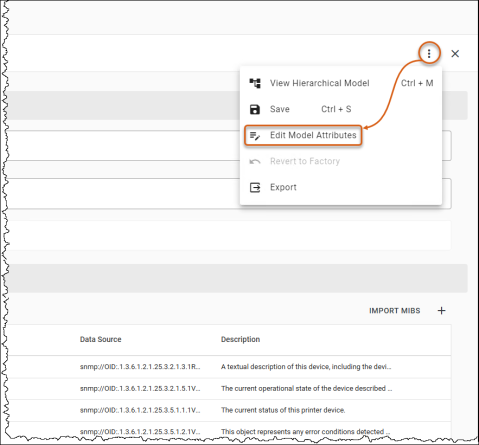
Click the three-dot menu and select Edit Model Attributes.
-
Modify Attributes:
-
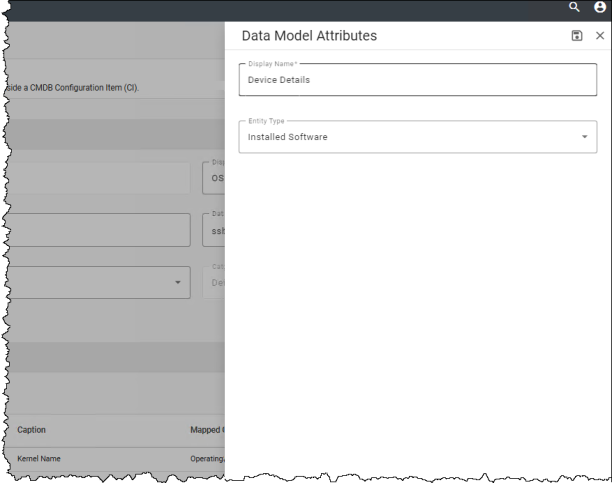
Display Name - Enter the user-facing name for the data model.
-
Entity Type - Select an appropriate classification (e.g., Computer, Storage).
-
-
Click Save to apply your changes.
See also: