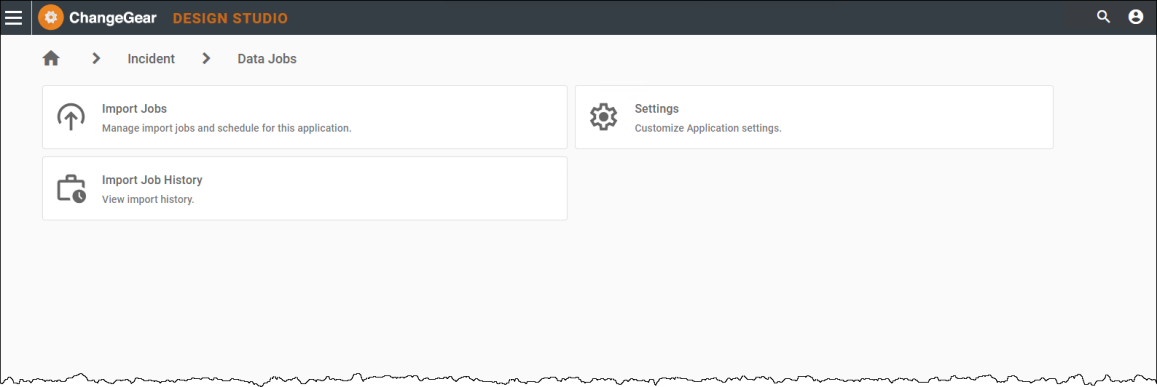
Overview of Data Jobs
The Data Jobs feature in ChangeGear enables users with Web Administration access to bulk import external data like tickets, assets, and users into the platform using system generated Excel templates. It simplifies the process of onboarding or updating records by staging and validating data before the data is committed to the system.
With this feature, you can:
-
Generate Excel templates based on target modules (like Incident or Asset).
-
Populate and upload these templates when creating a Data Job. The system stages and validates the data, identifying issues before the import is run.
-
Schedule import jobs to run during off-peak hours.
-
Monitor job status and results through import history, including success, failure, and error details.
-
Automatically clean up staging tables after imports using Repository Management.
-
Avoid duplicate records by using a unique identifier field during import.
Note: For CMDB and Asset modules, ChangeGear provides configurable deduplication behavior. Admins can choose whether to use strict matching based on a Unique Identifier field or apply a more flexible matching strategy controlled by the “Match Records using Import Duplicate Behavior” import setting. See Settings for more details.
The specific logic used depends on your selected import settings, which you can configure in Data Jobs > Settings.
Learn more about Data Jobs by visiting the following topics:
-
Managing Import Jobs - Create and manage imports using structured Excel templates.
-
Using Import Templates - Generate, populate, and upload Excel templates.
-
Import Job History - Monitor the results of your import jobs and view error logs. You can configure notifications for import job status updates in the Settings section.
-
Settings - Configure how import jobs behave—file sizes, history logging, notifications, and more.
-
FAQ - Find answers to commonly asked questions, including how blank values, user fields, job permissions, and duplicate records are handled during Data Job imports.